


Page Layouts
Page Layouts control how a page is structured in both the frontend (what users see) and the backend (what editors see inside TYPO3). You can find these settings in the Appearance tab when creating or editing a page.
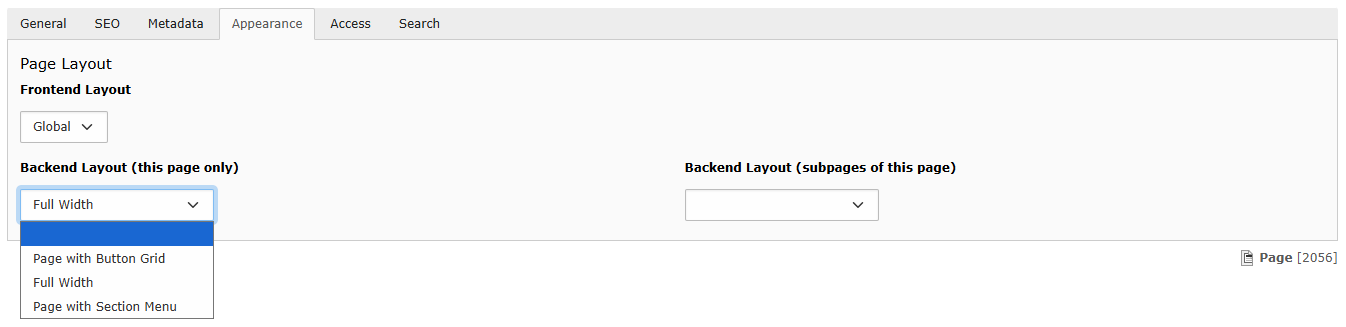
Frontend Layout
- Your site has a single Frontend Layout pre-selected called Global.
Backend Layouts
- Backend Layouts define the page structure in TYPO3 and also affect how the page is displayed on the frontend.
- Depending on your site, you may have only one Backend Layout available or a choice of several.
When selecting a Backend Layout, you have two options:
- this page only - Applies the selected layout to the current page only.
- subpages of this page - Automatically applies the selected layout to all new subpages created under this page. Individual subpages can still be edited later to use a different layout if required.
Note: If the Backend Layout options are not available when editing a page, the layout has been intentionally restricted to ensure the page structure remains unchanged.
Use the dropdowns to change the Backend Layout, where multiple options are available.
Remember to click Save.